01
ConnectOpen Instagram Direct in your browser.
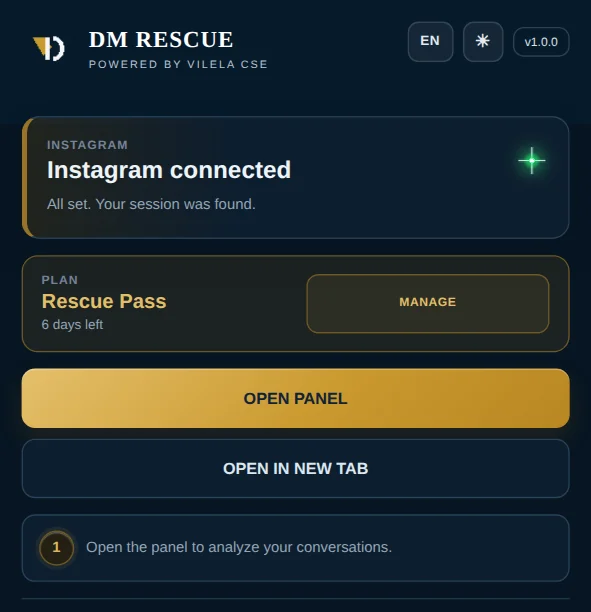
Instagram DM cleanup, with control.
DM Rescue helps you analyze Instagram Direct conversations, review the messages you sent, and confirm exactly what should be removed.
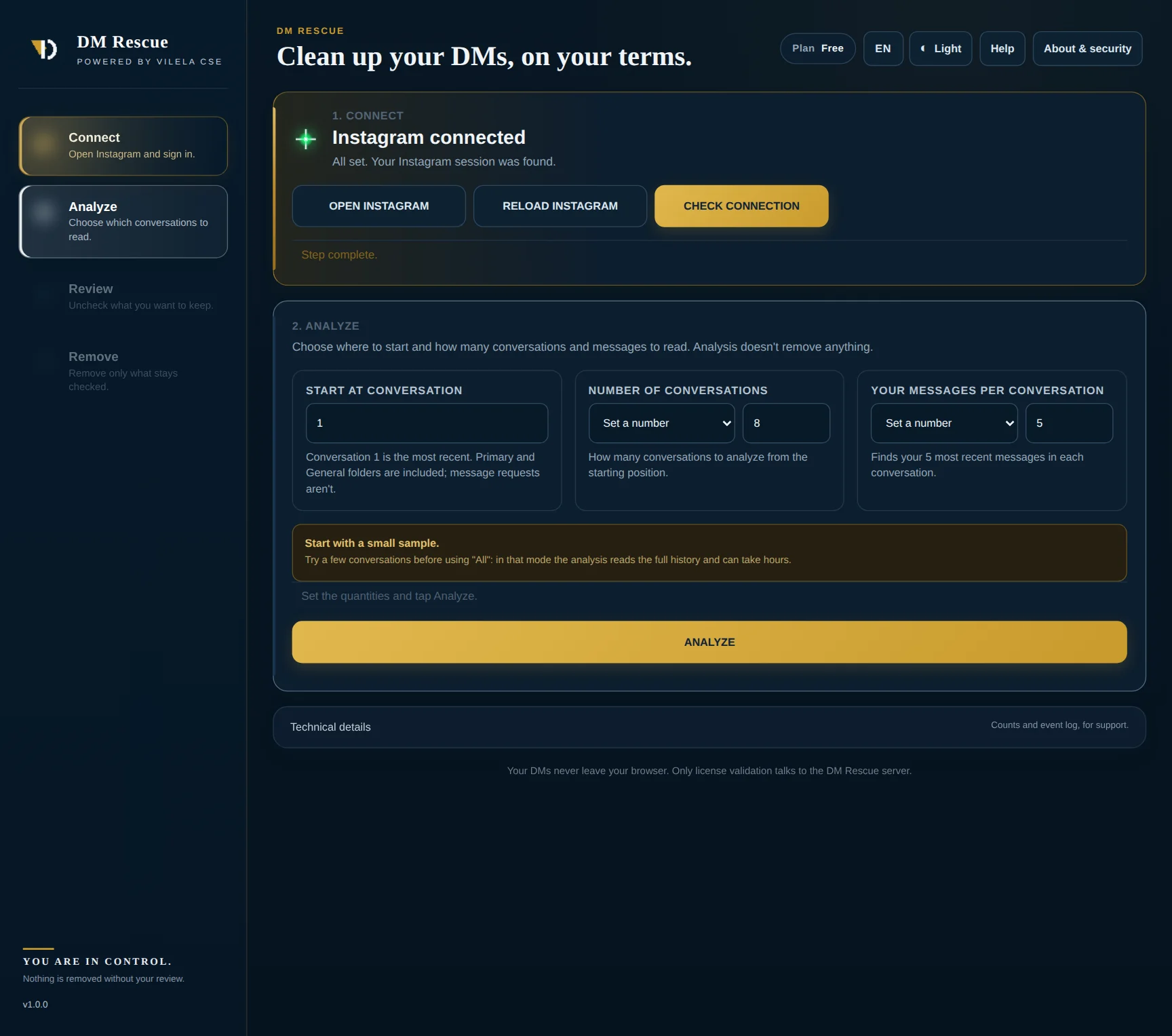
A clear four-step workflow
Each stage is separate, so you can inspect the results before DM Rescue moves to the removal step.
Detailed review
Open each conversation, inspect the selected messages, and change the selection before confirming removal. The review step is there to reduce surprises and give you a final checkpoint.
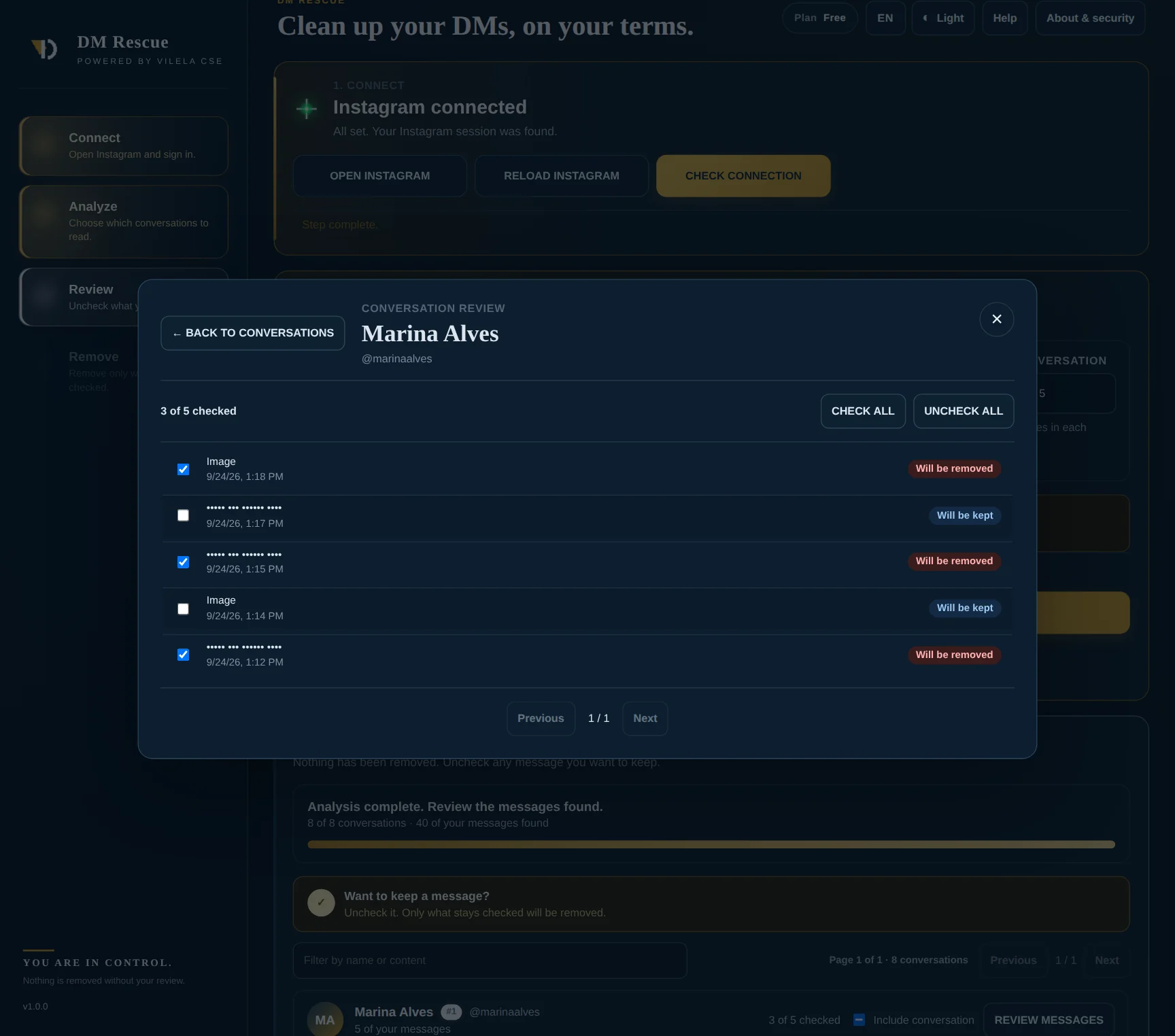
Example product screen. Personal content has been obscured for privacy.
Simple pricing
Free is for analysis and review only — it never unsends messages. Rescue Pass unlocks the standard removal workflow for 7 days, including the option to remove all messages you keep selected. Stealth Mode is a separate optional add-on.
DM Rescue is an independent product and is not affiliated with, endorsed by, or sponsored by Instagram or Meta.
Free
Analyze and review before deciding.
Rescue Pass
Unlock the complete cleanup workflow.
Removes your messages from oldest to newest in each conversation, so the recent part of each chat is the last to change. Requires an active Rescue Pass; not included in Free or Rescue Pass. No subscription, no auto-renewal.
Frequently asked
No. DM Rescue works with the Instagram session already open in your browser and does not ask you to type your Instagram password into the extension.
Free mode lets you connect Instagram Direct, analyze conversations, and review what DM Rescue finds. It does not unsend or remove any message. Removal is unlocked with Rescue Pass.
Rescue Pass unlocks the standard removal workflow for 7 days. You can review the results and remove all messages you keep selected. Stealth Mode is not included.
No. Stealth Mode is an optional add-on sold separately ($3.99 for 7 days), and it requires an active Rescue Pass. Free is for analysis and review; Rescue Pass unlocks the standard removal workflow.
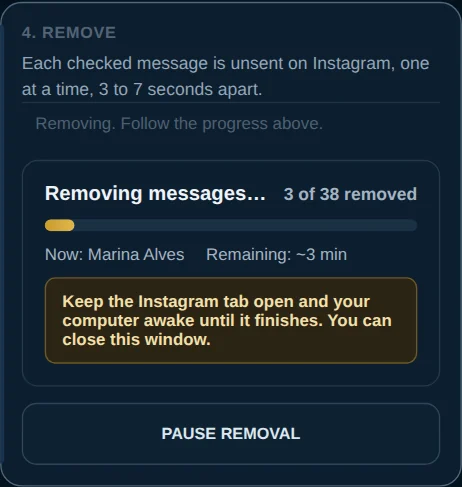
Yes. Removal runs in the Instagram tab, one message at a time, 3 to 7 seconds apart. You can close the DM Rescue window, but keep the Instagram tab open and your computer awake. You can pause and continue later without losing progress.
No. Your messages are read and processed in your browser. Only license validation talks to the DM Rescue server. See the privacy policy.
Secure the account first through Instagram: change your password, review active sessions, enable multi-factor authentication, and remove suspicious access. Then use DM Rescue to review and clean up unwanted sent messages.
Guides
Written for people who need to fix a real inbox, not to sell a tool. Each guide stands on its own.
Review first. Remove with control.